
A resume parser can fail even when the document looks polished. In a 22,901-PDF resume analysis, 79.8% of files had at least one major or critical layout finding, while only 5.8% had none. That makes the strongest Reactive Resume alternative less obvious than a tool with the biggest template library or the most AI features.
The better choice protects the workflow that matters most. For developers and technical applicants, that usually means maintaining role-specific versions, keeping content machine-readable, and exporting a PDF whose reading order survives an ATS. The cost is real. Choosing visual freedom can mean weaker parsing discipline. Choosing automation can mean less editorial control. Choosing open-source ownership can mean more setup and more responsibility for the final PDF.
This comparison judges each tool by its editing model, ATS structure, export reliability, templates, pricing model, and fit for technical work. The practical goal is simple: produce a clean master resume, adapt it quickly for each role, and send a dependable file. Good guidance on how to stand out as a candidate starts with that foundation.
1. Resumey.Pro
Resumey.Pro is the strongest fit for developers who want editing control without giving up a dependable PDF workflow. Its Markdown-first model keeps the resume source structured and portable, while templates handle presentation. That trade-off favors repeatable updates over drag-and-drop freedom.
For example, keep one Markdown source for a backend role and a platform role. Clone it, reorder the Kubernetes and API experience bullets, then switch from Altair to Sirius without reformatting the document. The browser editor renders Markdown in real time and supports slash commands for quick formatting. Existing resumes can be imported and converted into structured Markdown, so migration does not require starting over.
Resumey.Pro provides 10+ ATS-optimized templates, matching cover-letter layouts, unlimited pages, profile picture support, multilingual rendering, and right-to-left support. Since content and presentation remain separate, changing themes is quick. The paid PDF export is designed to preserve layout across operating systems and fonts, addressing the formatting drift that can appear in Word or visually complex editors.
Practical rule: Maintain one content-first master resume, then clone it for each target role. Change evidence and emphasis first. Change the template only when the application context calls for it.
The free plan supports resume creation and maintenance. A Pro pass adds PDF downloads, all themes, unlimited downloads during the pass, priority support, and automatic backups during editing sessions. The 1-month pass is shown at $15, with 3-month and 6-month passes also available. There is no auto-renewal, while student discounts and purchasing-power-parity coupons support a pay-when-ready workflow.
The main limitation is the Markdown learning curve. Basic syntax is manageable, but users accustomed to fully visual editors need a short adjustment period. Resumey.Pro is browser-based rather than a native offline application.
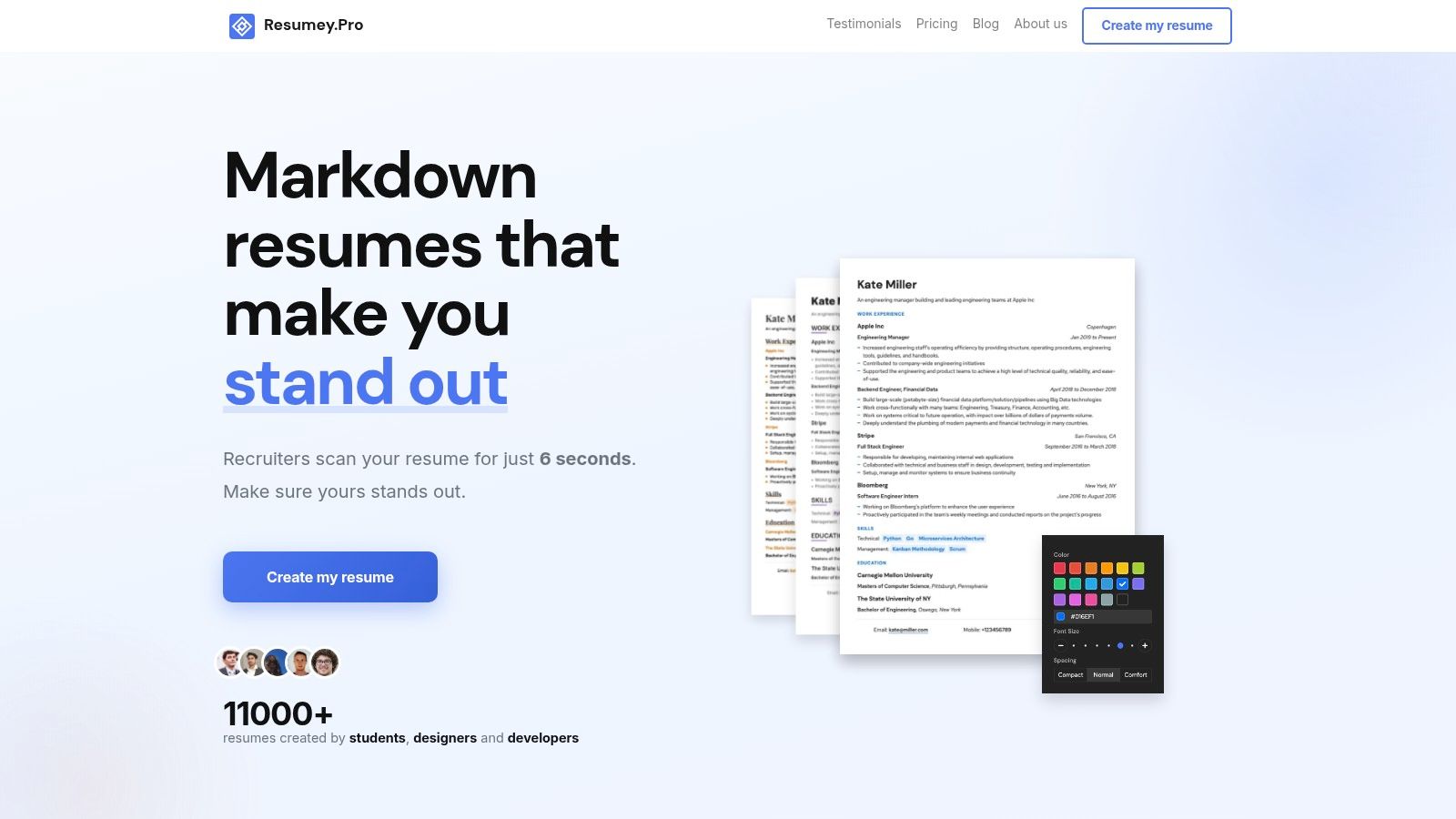
Choose Resumey.Pro when content portability, fast cloning, multilingual output, and stable PDF export matter more than unrestricted visual editing.
2. FlowCV
FlowCV is the practical choice when export cost matters most. Its free plan includes one resume and one cover letter, full design control, all templates, and unlimited watermark-free PDF exports. That makes it a direct alternative for applicants who need a usable file without paying before they know whether the workflow suits them.
The editor uses modular sections with a live preview. Users can adjust layouts quickly, move sections, and see the result while editing. Its templates generally favor readable structure, so the output is easier to keep ATS-safe than a design tool built around floating graphics or decorative blocks.
FlowCV is also useful for rapid tailoring. A single free resume may be enough for a focused application, while Pro adds unlimited resumes and cover letters, imports, a job tracker, and AI helpers. That division is clear: the free plan handles straightforward document production, and the paid tier supports a broader search workflow.
A free export is valuable only when the resulting PDF preserves the correct text order. Select the exported text and inspect the section sequence before sending it.
The limitation is version management. The free tier's one-resume limit becomes restrictive when a developer needs separate versions for backend, platform, and infrastructure roles. Advanced AI features and job tracking also require Pro, so the tool becomes less attractive when the goal is a high-volume tailoring system rather than a single polished resume.
Choose FlowCV when free, watermark-free PDF export and a visual editor are the priority. Choose Resumey.Pro instead when the source-of-truth model, Markdown portability, or repeated cloning matters more than a fully free export.
3. Standard Resume
Standard Resume takes an opinionated approach. It focuses on clean layouts intended for hiring-manager readability, rather than offering a sprawling design system. That restraint suits applicants who need a credible resume quickly and don't want to spend time tuning spacing, colors, or decorative elements.
The main speed advantage is LinkedIn import. Existing profile data can provide a starting point, then the editor turns it into a web resume and PDF. The platform also offers 12 hiring-manager-reviewed templates, shareable web resumes, and view tracking for the web version.
This is a strong fit for a developer who has a reasonably complete LinkedIn profile and needs a presentable application document without adopting Markdown or a code-based workflow. The web resume can also support direct sharing when a hiring manager or recruiter requests a link rather than an attachment.
The trade-off is limited editorial control. Standard Resume doesn't provide Markdown editing, so the source remains tied to the platform's editor. The template collection is smaller than the libraries offered by broad visual builders, but that restriction can help keep the final document focused.
For ATS safety, the same structural discipline still applies. A clean template won't rescue weak section hierarchy, vague skill labels, or a PDF with a scrambled reading order. Keep experience, education, and skills in the primary text flow, and avoid treating the web version as proof that the uploaded PDF will parse identically.
Choose Standard Resume when LinkedIn import and fast setup outweigh source portability. It's a sensible convenience tool, but it isn't the best match for developers who want a Markdown file they can edit, clone, and reuse outside the platform.
4. OpenResume
OpenResume is built for users who put privacy and simplicity ahead of visual variety. It requires no sign-up, stores data locally in the browser, and uses a single-column structure aligned with common ATS guidance. The result is deliberately narrow in scope.
That narrow scope is useful. ATS systems generally extract a document into plain text, then classify content into fields such as contact information, work experience, and skills. A single-column layout keeps the reading order predictable, while clear headings make the content easier to classify. Guidance on ATS resume format also identifies single-column structure as the safer default because parsers typically move from top to bottom and left to right.
OpenResume includes a built-in parser and import function, so an existing resume can be used as the starting point. Its open-source codebase appeals to technical users who want to inspect or self-manage the tool rather than depend on a heavily automated commercial editor.
The cost is design flexibility. There are no built-in multi-column or graphical template options, and the single layout may feel restrictive for applicants who want several visual styles. That limitation is intentional, but it also means users must accept the product's editorial decisions.
Local storage reduces account dependence, but it also makes backups your responsibility. Export your resume and preserve a copy outside the browser.
Choose OpenResume when free use, local storage, and a focused ATS-safe structure matter most. It's a poor fit for users who need instant template switching or a managed system for many role-specific versions.
5. JSON Resume
JSON Resume is a data format and toolchain rather than a conventional resume builder. It represents the resume as structured JSON, with a canonical schema, validator, CLI tooling, themes, and options for rendering to web or PDF. For developers, that creates a real source-control workflow.
The strongest use case is a resume stored in Git. Content can be versioned, reviewed, transformed, and rendered through different themes. A developer comfortable with CLI tools can generate multiple outputs from the same structured data and keep a clear history of changes.
That control comes with friction. JSON is a serialization format, not a comfortable writing environment. Long descriptions, escaped line breaks, and strict syntax make routine editing less pleasant than Markdown. PDF quality also depends on the selected theme and rendering pipeline, so the final output requires testing rather than assumption.
The JSON Resume alternative guide from Resumey.Pro explains the central trade-off clearly: structured portability is powerful, but a more technical pipeline shifts responsibility for rendering and maintenance to the user.
Use JSON Resume when Git-based versioning, programmatic transformations, and themeable output are central requirements. It's the right tool for an engineer who wants resume-as-data. It's the wrong tool for someone who wants to write naturally and export a stable PDF with minimal setup.
6. Teal
Teal is an all-in-one job-search platform rather than a focused document editor. It combines an AI resume writer and rewriter with keyword matching, an ATS checker, job-description insights, a tracker, and outreach tooling. That makes it useful for engineers applying across many similar roles and needing help managing the surrounding process.
The job-description match workflow is its main advantage. A resume can be compared with a target posting, missing terms can be identified, and sections can be revised for closer alignment. This supports role-by-role tailoring, which is more useful than maintaining one generic document for every application.
The trade-off is platform weight. Teal adds tracking and guidance where a Markdown editor would stay focused on writing and export. Users who already maintain applications in another system may find the extra workflow unnecessary.
Paid access matters for the strongest features. Teal's free capabilities can support exploration, but the advanced tailoring and platform functions sit behind the Teal+ tier. Check the current pricing page before committing, because access options can change.
A technical applicant should still verify the final file manually. Keyword matching can suggest what to include, but it can't decide whether a term accurately describes real experience. Copying keywords without evidence makes a resume less credible, even when the ATS recognizes the phrase.
Choose Teal when tailoring guidance, job tracking, and application organization justify a paid platform. Choose Resumey.Pro when the priority is a clean Markdown source, quick cloning, and dependable PDF production without a broader job-search suite.
7. Resume.io
Resume.io is a mainstream builder aimed at speed and breadth. It offers ATS-friendly templates, a large library of role-specific examples, an AI resume builder, an ATS scorer, web sharing, and analytics. Users who want guided creation and many starting points will find the workflow familiar.
The template catalog is the main attraction. A developer can start from a software, data, or infrastructure-oriented example, then adapt the content rather than facing a blank page. The editor also makes quick visual changes accessible to people who don't want to work in Markdown or code.
Pricing requires close attention. The free plan limits downloads to TXT, while full PDF export and other features sit behind paid tiers. The trial may auto-renew, so confirm the billing terms before starting access.
That model creates a specific cost. Resume.io minimizes setup time, but it can make repeated versions and exports dependent on ongoing platform access. It also keeps the content inside a visual editor rather than giving technical users a portable plain-text source.
For ATS use, favor the simplest available template. Avoid graphics, floating text, and decorative sidebars when the application portal is strict. ATS software commonly struggles with text boxes and complex resume layouts, because floating objects can be skipped or read out of sequence.
Choose Resume.io when template breadth, examples, and guided editing are worth the paid export model. It's less suitable for a developer who wants version-controlled content or a no-surprise pay-when-ready workflow.
8. Novorésumé
Novorésumé balances design polish with readable structure. It provides ATS-friendly templates, matching cover letters, multiple-version support, custom layout options, and premium exports without watermarking or branding. The interface suits applicants who want a professional visual result without building the layout themselves.
Its pricing approach is useful for short job searches. Premium access is sold for a defined period rather than as an ongoing auto-renewing subscription, which makes the cost easier to control. Free Basic exports remain available, but some features and presentation options are reserved for premium access.
Novorésumé works well for applicants who need a polished PDF quickly and don't care about maintaining a Markdown or JSON source. The ability to manage multiple versions helps with tailoring, although the workflow is still editor-centered rather than source-centered.
Visual restraint matters. Some layout choices add columns, icons, or other elements that can complicate parsing in strict portals. Markdown guidance makes the same underlying point: plain text and clear headings help, but even Markdown can become risky when tables are used to imitate columns. The final PDF's structure matters more than the authoring syntax.
Use Novorésumé when readability, visual polish, matching cover letters, and non-recurring premium access are the deciding factors. Choose OpenResume for a simpler free and local workflow, or Resumey.Pro for Markdown editing and instant template changes.
9. Enhancv
Enhancv is designed for iterative improvement. It offers AI feedback, job-description tailoring, match and ATS checks, customizable sections, and a broad set of visual options. For developers, data scientists, and infrastructure professionals, the value lies in working through several revisions against a specific posting.
The tailoring workflow is more substantial than a basic template editor. Enhancv can guide changes to emphasis, wording, and section content, while the customizable sections support a more narrative presentation. That flexibility helps when the applicant needs to explain a career change, a complex project, or a mix of technical and leadership work.
The same flexibility creates the main limitation. Some templates use dual columns, and those layouts need careful testing before submission. A parser may read the left column completely, then jump to the right column, or merge content from separate sections. Keep critical skills and experience in a clear reading order, and use text selection to check the exported PDF.
Enhancv offers a 7-day free access tier, while Pro plans provide exports and advanced tools. Pricing and currency can vary, so review the current terms rather than assuming a fixed local price.
Choose Enhancv when AI guidance and storytelling flexibility are worth accepting extra export and layout checks. It's a good fit for complex positioning. It isn't the best choice for a purely Markdown-first, low-maintenance workflow.
10. Overleaf
Overleaf is the strongest option for applicants who want precise typesetting and a source-controlled PDF pipeline. It provides a browser-based LaTeX editor, real-time PDF preview, a large resume and CV template library, collaboration, versioning, and Overleaf AI in eligible plans.
LaTeX produces highly reproducible output. Fonts, spacing, page breaks, and alignment can be controlled precisely, which appeals to engineers and researchers who care about exact layout. The PDF contains a text layer rather than relying on a screenshot, so the output can be clean for ATS parsing when the template uses a straightforward structure.
Precise typography doesn't replace structural testing. Select the PDF text, copy it into a plain-text editor, and confirm that the name, headings, dates, and bullets appear in the intended order.
Overleaf becomes especially compelling when the resume already belongs in Git-like review practices or when a user needs a carefully controlled academic CV. The drawback is the learning curve. Replacing text is easy in a ready-made template, but custom layout changes can take time, and tailoring content means working inside LaTeX markup.
The Resumey.Pro versus Overleaf comparison frames the choice as control versus convenience. Overleaf gives deeper typesetting control. Resumey.Pro gives a faster content-first workflow with Markdown, template switching, cloning, and managed PDF export.
Choose Overleaf when source control and typography precision outweigh setup time. Choose Resumey.Pro when role-specific iteration and low-maintenance ATS-safe export are more important.
Top 10 Reactive Resume Alternatives, Comparison
| Product | Core features | UX / Quality (★) | Value & Price (💰) | Target audience (👥) | Standout / Unique (✨) |
|---|---|---|---|---|---|
| Resumey.Pro 🏆 | Markdown editor, 10+ ATS templates, one-click PDF (Pro), cover-letter, clone, multilingual, 5‑min backups (Pro) | ★★★★★, Dev-friendly, ATS-safe | 💰 Free to create; 1‑mo Pro $15 (1/3/6‑mo), no auto-renew; student/PPP discounts | 👥 Developers, engineers, global applicants, power users | ✨ Content↔design separation; pixel-stable PDFs; instant template swap |
| FlowCV | Live preview, modular sections, free watermark-free PDFs; Pro: imports, job tracker, AI | ★★★★☆, Clean & simple | 💰Generous free tier (free PDFs); Pro for imports/AI/tools | 👥 Job-seekers needing free exports & quick tailoring | ✨ Truly free PDF exports; modular editing |
| Standard Resume | LinkedIn import, 12 hiring-reviewed templates, web resume + PDF, view tracking | ★★★★☆, Recruiter-approved simplicity | 💰Freemium; paid for advanced exports/features | 👥 Candidates wanting fast LinkedIn import & recruiter-friendly layouts | ✨ One-click LinkedIn import; hiring-manager templates |
| OpenResume | Local in-browser storage, resume parser, ATS-aligned single-column, open-source | ★★★☆☆, Privacy-first, minimal | 💰Free forever; no signup | 👥 Privacy-conscious users & minimalists | ✨ Local storage + open-source + built-in parser |
| JSON Resume | Canonical JSON schema, CLI tool, theme registry, many themes | ★★★★☆, Dev-centric & versionable | 💰Free / open-source; DIY tooling | 👥 Developers using Git/CLI and custom pipelines | ✨ JSON schema + CLI + themeable pipelines |
| Teal | AI writer/rewriter, ATS checker, JD match score, job tracker | ★★★★☆, Strong tailoring workflow | 💰Paid Teal+ for best features; clear plans | 👥 Active job-searchers needing automation & tracking | ✨ JD match scoring + job tracker + AI tailoring |
| Resume.io | AI builder & ATS scorer, large template library, web share & analytics | ★★★★☆, Polished, many examples | 💰Free tier (TXT); paid for PDF & full features (subscriptions) | 👥 Users wanting many role-specific templates | ✨ Large template catalog + role examples |
| Novorésumé | Design-forward ATS templates, multi-version support, matching cover letters | ★★★★☆, Readable + polished | 💰Pay-for-period premium; no auto-renew | 👥 Design-conscious applicants wanting ATS-safe PDFs | ✨ Design polish without subscription auto-billing |
| Enhancv | AI feedback & tailoring, ATS checks, customizable storytelling sections | ★★★★☆, Deep AI guidance | 💰7‑day free access; Pro plans unlock exports & advanced tools | 👥 Candidates optimizing storytelling & role tailoring | ✨ One-click tailoring + AI feedback |
| Overleaf | Browser LaTeX editor, vetted resume templates (moderncv), collaboration & versioning | ★★★★☆, Pixel-perfect, reproducible PDFs | 💰Free tier; paid plans for collaboration/AI features | 👥 LaTeX users, academics, professionals needing precise typography | ✨ LaTeX precision + source control & collaboration |
Choose the Cost You Can Live With
The right Reactive Resume alternative depends on the cost you accept. Every tool gives something up in exchange for a particular strength, and the mistake is choosing based only on templates or feature count.
Resumey.Pro gives up some visual-editor familiarity in exchange for Markdown ownership, instant template switching, cloning, multilingual support, and stable PDF export. The free plan lets you create and maintain resumes, while a time-limited Pro pass makes PDF downloads, all themes, and premium features available without auto-renewal. That model fits developers who need several versions during an active search but don't want a permanent subscription.
FlowCV and OpenResume are the direct free-first choices. FlowCV prioritizes free watermark-free PDF export and visual control. OpenResume prioritizes local browser storage, no sign-up, and a single-column layout. FlowCV gives more presentation flexibility. OpenResume gives a tighter privacy and simplicity story.
JSON Resume and Overleaf suit technical users who want deeper control. JSON Resume treats the resume as structured data that can live in Git and feed multiple renderers. Overleaf treats it as a typeset document with precise layout control. Both can produce excellent results, but both require more responsibility for setup, maintenance, and PDF testing.
Teal, Resume.io, and Enhancv make more sense when tailoring guidance and broader job-search features justify paid access. Teal is strongest for tracking and job-description matching. Resume.io favors template breadth and guided creation. Enhancv supports richer storytelling and AI feedback, but visual layouts need stricter ATS checks.
Standard Resume is the speed choice for LinkedIn-based setup. It sacrifices Markdown and deep source portability for a quick path from an existing profile to a polished web resume and PDF.
The cost of choosing Resumey.Pro is learning basic Markdown and relying on a browser-based editor. The benefit is a clean separation between content and design, which makes role-specific cloning and template changes much easier to control. That trade-off is worth accepting when the resume must serve as a reusable technical asset rather than a single finished document.
Create a content-first master resume, test the resulting PDF by selecting its text and checking section order, then clone and tailor it for the target role before exporting. That process catches structural problems before an ATS or recruiter has to interpret them.
Resumey.Pro gives developers and technical applicants a Markdown editor, ATS-focused templates, instant template switching, role-specific cloning, multilingual support, and reliable PDF export. Create your master resume for free, prepare the version for the target role, and visit Resumey.Pro when you're ready to produce the final file.