
The popular advice says a resume should be designed first, then filled with content. For technical professionals, that order creates the wrong dependency. A visual builder can make a document look finished while hiding the structure that an Applicant Tracking System needs to read. My argument is simple: maintain your career history as plain Markdown in Obsidian, then hand that clean source to a design and export layer when an application requires it. The cost is real. You give up the instant satisfaction of dragging text boxes into place, and you accept more discipline in exchange for portability, version control, and a safer path to ATS-friendly output.
The Case for Plain Text Career Documents
A resume is a record of work, not a poster. That distinction matters because a career document changes constantly. Job titles evolve, projects get reframed, skills become more relevant to one role than another, and older achievements need enough context to remain useful. A layout-first file makes those changes expensive. A text-first file keeps the underlying content independent from typography, spacing, and page composition.
Markdown was created by John Gruber with Aaron Swartz in 2004 as a plain-text formatting syntax that could be read directly and converted into HTML. Its conventions are deliberately small, built around headings, lists, links, emphasis, and code spans. That makes Markdown portable across editors, operating systems, and publishing pipelines, as described in the ATS data report on Markdown's origins and resume portability.
Obsidian fits this model because its core notes are Markdown files stored locally in a vault. Obsidian launched in 2020, and its local plaintext architecture lets the same source be edited in another Markdown editor, tracked in Git, or sent through a different publishing workflow. The official forum has also crossed 100,000 registered members, a milestone documented in ATSChecker's research on Obsidian and ATS resumes.
The document should have one source of truth. Design is an output, not the database.
A visual builder still has a place. It's useful when typography, spacing, and consistent export matter. The mistake is allowing the builder to become the only place where career history exists. Once content is trapped inside layout objects, copying it into another template can require cleanup, manual checking, and sometimes a complete rewrite.
With an Obsidian Markdown resume, the trade-off is visible: less drag-and-drop control, more durable content management. For a developer, engineer, analyst, or infrastructure professional, that exchange usually favors a workflow where accomplishments remain searchable, reusable, and easy to tailor.
Structuring Your Vault for Modular Content
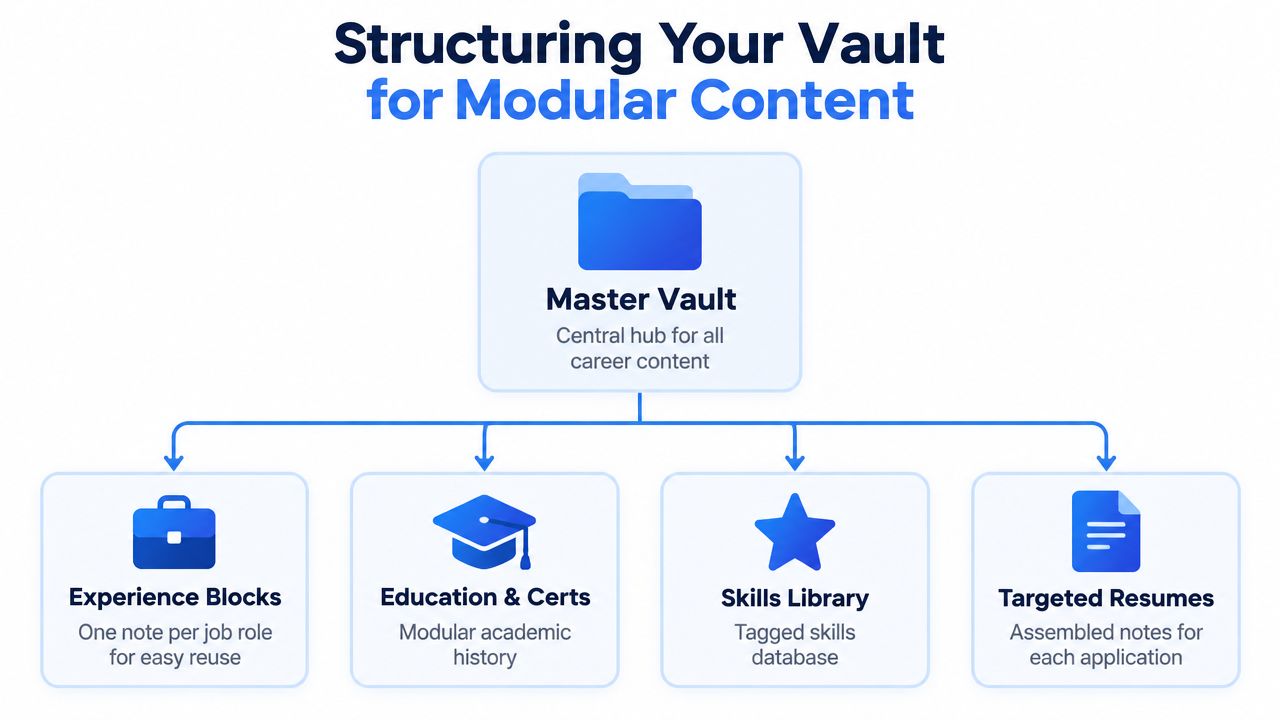
A single resume note is a reasonable starting point, but it becomes awkward as soon as different applications need different evidence. A better setup treats the vault as a small career database. Each note stores a reusable part of the record, while a targeted resume note assembles the pieces for one application.
A practical folder structure might look like this:
- Career Vault: The top-level container for professional content.
- Experience: One note for each role, with responsibilities and accomplishment bullets.
- Projects: Separate notes for substantial systems, launches, migrations, or research work.
- Skills: A controlled library of technologies, methods, and domain areas.
- Education and Certifications: Academic history and credentials.
- Resumes: Final assembled versions, named for a role or application.
Use metadata for decisions, not decoration
Obsidian properties or YAML frontmatter can keep notes operational. The content stays readable, while metadata helps with filtering and review.
---
type: experience
company: Example Systems
role: Site Reliability Engineer
target_roles:
  - platform engineer
  - devops engineer
status: active
last_updated: 2026-09-16

---
Keep the fields useful. A role note might contain a short context paragraph, followed by bullets that can be copied into a resume. A project note can hold the technical stack, the problem addressed, and several versions of the accomplishment statement. Avoid turning the vault into an administrative burden. The structure should make retrieval faster, not create a second job.
Separate facts from presentation
Store the strongest version of a bullet in the experience note, then make targeted changes in the assembled resume only when the application demands different emphasis. Obsidian links can connect a role to related projects and skills, while aliases can help retrieve notes when a technology has multiple names.
A targeted resume note might contain:
# Alex Morgan

alex.morgan@example.com | linkedin.com/in/alexmorgan | github.com/alexmorgan

## Summary

Platform engineer focused on reliable cloud infrastructure, deployment automation, and observability.

## Experience

![[Experience/Example Systems]]

## Projects

![[Projects/Deployment Platform]]

## Skills

![[Skills/Platform Engineering]]
Transclusion is convenient during drafting, but verify the final rendered output. Export tools may handle embedded notes differently, and an ATS needs the assembled document to contain visible, selectable text.
Drafting with Clean Markdown Syntax
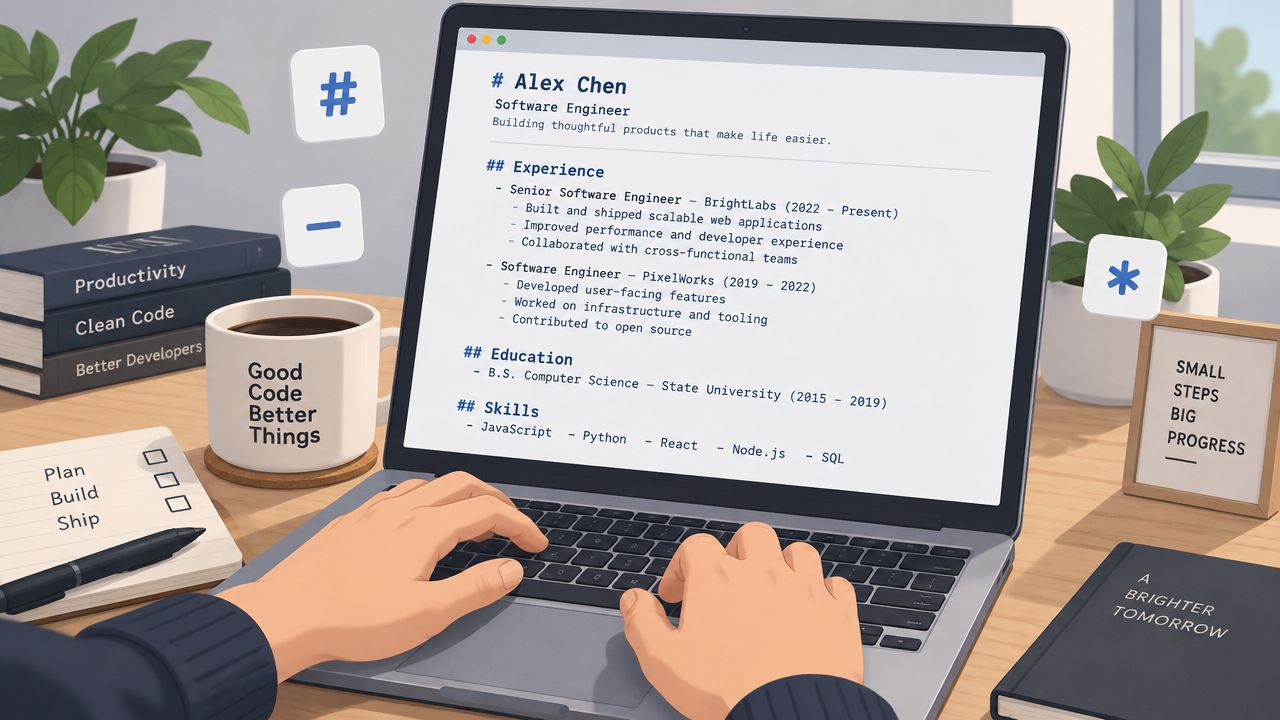
The safest source file has an obvious reading order. Use one document column, conventional section labels, and standard Markdown headings. A parser should encounter the candidate's identity first, then the summary, experience, education, projects, and skills without having to infer a visual grid.
Start with a single top-level heading for the name. Use second-level headings for major sections and third-level headings for roles or subcategories. Keep the syntax ordinary:
# Alex Morgan

alex.morgan@example.com | Remote | github.com/alexmorgan

## Experience

### Example Systems, Site Reliability Engineer

2023 to Present

- Automated deployment workflows with GitHub Actions and Terraform.
- Built service dashboards and alerting rules for production operations.
- Documented incident response procedures for engineering teams.

## Skills

- Cloud: AWS, Terraform, Docker
- Languages: Python, Go, SQL
- Operations: Kubernetes, Linux, GitHub Actions

## Education

### State University

Bachelor of Science in Computer Science
Put meaning in the words
Bold and italics shouldn't carry essential information. A parser may extract the words, but the styling won't rescue a vague bullet. Write the action, the technical context, and the result in plain language. Use inline code for technology names only when it improves scanning, such as Terraform, PostgreSQL, or Kubernetes. Don't put an entire sentence inside code spans.
Standardize how each role appears. The employer and title should be easy to identify, dates should use a consistent format, and bullets should begin with clear verbs. Keep contact details as visible text near the top. Avoid icons that replace labels, decorative symbols, and unexplained abbreviations.
For a broader syntax reference, the Markdown resume syntax guide is useful when a source note needs to move between editors. When formatting requirements extend beyond resume work, a practical way to compare available options is this guide to 10 text formatter tools.
This short demonstration covers the same text-first workflow visually. Watch it after reviewing the source structure, not instead of checking the raw Markdown.
Export Paths and ATS Compatibility
The final export is where a clean Obsidian workflow can fail. ATS software generally extracts plain text, then classifies sections such as the name, contact details, work experience, education, and skills. The document needs to preserve heading hierarchy, bullet lists, and reading order so those elements remain recognizable.
A single-column layout is the safest baseline. Tables, text boxes, headers, footers, icons, and multi-column structures can cause a parser to read content across the page instead of down it. An ATS guide for Markdown resumes recommends standard section labels, simple fonts, left-aligned single-column formatting, and avoiding layout objects that separate text from its natural order.
PDF and DOCX serve different purposes
A selectable-text PDF preserves the visual arrangement and keeps a text layer that can be searched and parsed. An image-based PDF is different. It stores the page as a picture, which can leave an ATS with an empty or incomplete profile. Text-based output is therefore essential for Markdown-to-PDF workflows, as outlined by Markdown Resume.
DOCX has a practical advantage when a job portal specifies it or when compatibility with older systems matters. Independent ATS guidance continues to describe DOCX as the most reliably parsed format across major systems, while PDF behavior varies with the platform and the complexity of the layout. Use the employer's requested format first. When no format is specified, validate the exported file rather than assuming the extension guarantees safety.
| Format | Parsing reliability | Layout preservation |
|---|---|---|
| Selectable-text PDF | Strong when the text layer and reading order are intact | Strong visual control |
| DOCX | Broad compatibility, including older systems | Can shift between applications |
| Image-based PDF | Poor choice because text may be unavailable to the parser | Visual appearance remains fixed |
Inspect the rendered file
Open the export and try to select every line. Copy the entire document into a plain-text editor and inspect the order. The contact details should appear together, the experience should run from the first role to the last, and no section should vanish.
Pandoc can support a controlled conversion pipeline, while community plugins may help with templates and export. Keep the configuration simple. Every added transformation layer creates another place where a heading, link, font, or line break can change.
Page boundaries matter too. Some Markdown resume tools recommend a preview with the actual page edge, then trimming bullets or tightening spacing when content overflows. Atom's Markdown-to-PDF guidance treats page awareness as part of export quality, not a cosmetic afterthought.
Bridging Obsidian and Resumey.Pro
Obsidian is strong at maintaining the source. It gives career notes a local, searchable home, and it makes versioning practical. It isn't necessarily the best place to perform the final visual tuning for every application, especially when a hiring portal expects a polished PDF with stable spacing.
The handoff should preserve the separation between content and design:
- Open the targeted resume note in Obsidian.
- Copy the rendered Markdown content, or copy the raw Markdown when the destination supports it.
- Paste it into the browser-based Markdown editor.
- Check the rendered hierarchy, dates, links, and bullet order.
- Switch templates without rewriting the underlying content.
- Export the final ATS-friendly file and inspect its selectable text.
Keep tailoring in the source layer
The cleanest workflow keeps major content changes in Obsidian. Create a separate targeted note for a platform engineering role, a data engineering role, or a security position. Link or transclude the relevant experience blocks, then make the final selection explicit before copying it into the design editor.
A browser-based Markdown editor can import existing content, render it in real time, and apply templates such as Altair or Vega without requiring manual recreation of every text block. Resumey.Pro also provides cloning for role-specific versions, which is useful when the source vault contains a broad career record but each application needs a different emphasis. Its Markdown CV generator supports this content-first handoff.
The same separation helps with application operations. Once the resume is ready, a library of recruitment email templates for 2026 can reduce the need to draft each accompanying message from scratch, while the resume itself remains maintained in the vault.
Check multilingual output before sending it. A Markdown source can remain portable while the renderer still mishandles right-to-left direction, non-Latin fonts, or line breaking. Review the actual exported document in the language and script used for the application.
Frequently Asked Questions
Is Obsidian suitable for an ATS-friendly resume?
Yes, provided the final output preserves selectable text, clear headings, bullet lists, and a normal reading order. Obsidian is best treated as the source system, while the exported PDF or DOCX must be inspected independently.
Should an Obsidian resume be exported as PDF or DOCX?
Follow the employer's requested format. DOCX is generally the safer compatibility choice when a portal gives no guidance, while a selectable-text PDF offers stronger control over visual layout when the platform parses it correctly.
How should different job versions be managed?
Keep a master career record, then create targeted resume notes for specific roles. Use Git or another backup method to track changes, and name each version clearly so an application-specific edit doesn't overwrite the broader source.
Can Markdown handle multilingual and right-to-left resumes?
Markdown can store multilingual and non-Latin text, but export tools still need to handle fonts, directionality, and line wrapping correctly. Test the rendered document in the target script, select all text, and verify that copied content follows the intended reading order.
What should be checked when an export loses content?
Inspect transclusions, unsupported plugins, custom CSS, tables, and embedded elements first. Replace complex structures with ordinary headings and lists, then export again and test the text layer in a plain-text editor.
Resumey.Pro lets you bring clean Markdown from Obsidian into a browser editor, switch among ATS-oriented templates, clone role-specific versions, and export a polished document without rebuilding the content by hand. Visit Resumey.Pro to move your durable career source into a formatted resume when an application is ready.