
The popular advice says this choice is about convenience versus polish. It isn't. My argument is simpler and more useful: for resumes, separating content from presentation beats visual editing when the goal is ATS-safe output, stable PDFs, and easy maintenance across multiple versions. The cost is real. You give up drag-and-drop comfort, instant visual nudging, and the familiar feeling of editing a page directly.
That trade-off matters more than ever because resumes now get reused, cloned, exported, and uploaded across too many systems to treat layout as the source of truth. Markdown has a long plain-text history going back to John Gruber's 2004 release, and industry reporting still describes it as a dominant documentation format, including one survey cited in a 2026 article where 65.62% of technical writers use Markdown as their primary documentation format while 24.43% rely on Microsoft Word (Docsio on AsciiDoc vs Markdown). Google Docs sits at the other end of the spectrum. It's a mass-market visual editor with huge reach, commonly estimated at more than 1 billion monthly users, while Google Workspace is reported to have more than 3 billion users globally and over 10 million paying customers (Sensor Tower overview of Google Docs).
Both tools can produce a usable resume. That's why this is a real comparison and not a fake debate. But once a resume has to survive ATS parsing, PDF export, role-specific branching, and possibly multilingual output, the workflow matters more than the editor's popularity.
Why This Comparison Matters More Than Formatting
Resume advice often gets stuck on looks. The harder problem is maintenance.
A good comparison between Markdown and Google Docs starts with source control over content, not with fonts, margins, or whether one PDF looks cleaner at first glance. Resumes rarely stay as one file for long. They branch into role-specific versions, get exported through different systems, and get uploaded to sites that strip layout and read only the text layer. Once that starts happening, the authoring model matters more than the editor preview.
A resume is structured information with presentation applied on top. That distinction decides how much work each new variant creates. In Markdown, the source stays close to plain text, so content edits, template changes, and export targets can be handled separately. In Google Docs, content and layout tend to drift together. That feels efficient early on. It becomes expensive when one change to wording forces manual cleanup across several versions.
Why plain-text source files age better
Markdown's advantage is not aesthetics or developer preference. It is durability.
Plain-text source files hold up better over time because they keep the resume centered on sections, bullets, links, and reading order. That structure maps more cleanly to systems that extract text for parsing, ranking, or profile creation, as noted earlier. It also makes role-specific branching less error-prone. A candidate can keep one base file, create variants for backend, platform, and DevOps roles, and update shared achievements without rechecking every indent and spacing tweak by hand.
Google Docs encourages a different habit. The visible page becomes the working model. That is convenient while drafting, especially if someone wants direct visual control and collaboration comments. The problem shows up later. Small layout decisions start carrying content meaning. A bullet wraps differently after export. A heading shifts because a font changed. A copied section brings hidden formatting with it. None of those issues are dramatic on their own, but they add maintenance cost every time the resume is cloned for another application.
The trade-off is simple. Markdown asks for more setup and gives cleaner long-term control. Google Docs gives immediate visual editing and asks for more cleanup later.
Where the workflow choice starts to matter
This choice becomes more important in a few specific cases:
- Role-specific variants: separate resumes for adjacent roles create hidden maintenance work if each file is edited visually
- ATS text extraction: the uploaded document may be judged from its text layer, not from the page the applicant sees
- Multilingual resumes: non-Latin scripts or right-to-left content can expose rendering and font inconsistencies during export
- Repeatable output: candidates who export often need the same structure to survive each conversion
For a one-off resume that two people need to edit together, Google Docs is often the faster tool. For a resume that will be revised, forked, translated, and exported repeatedly, Markdown usually creates fewer problems over time.
How Each Workflow Actually Works
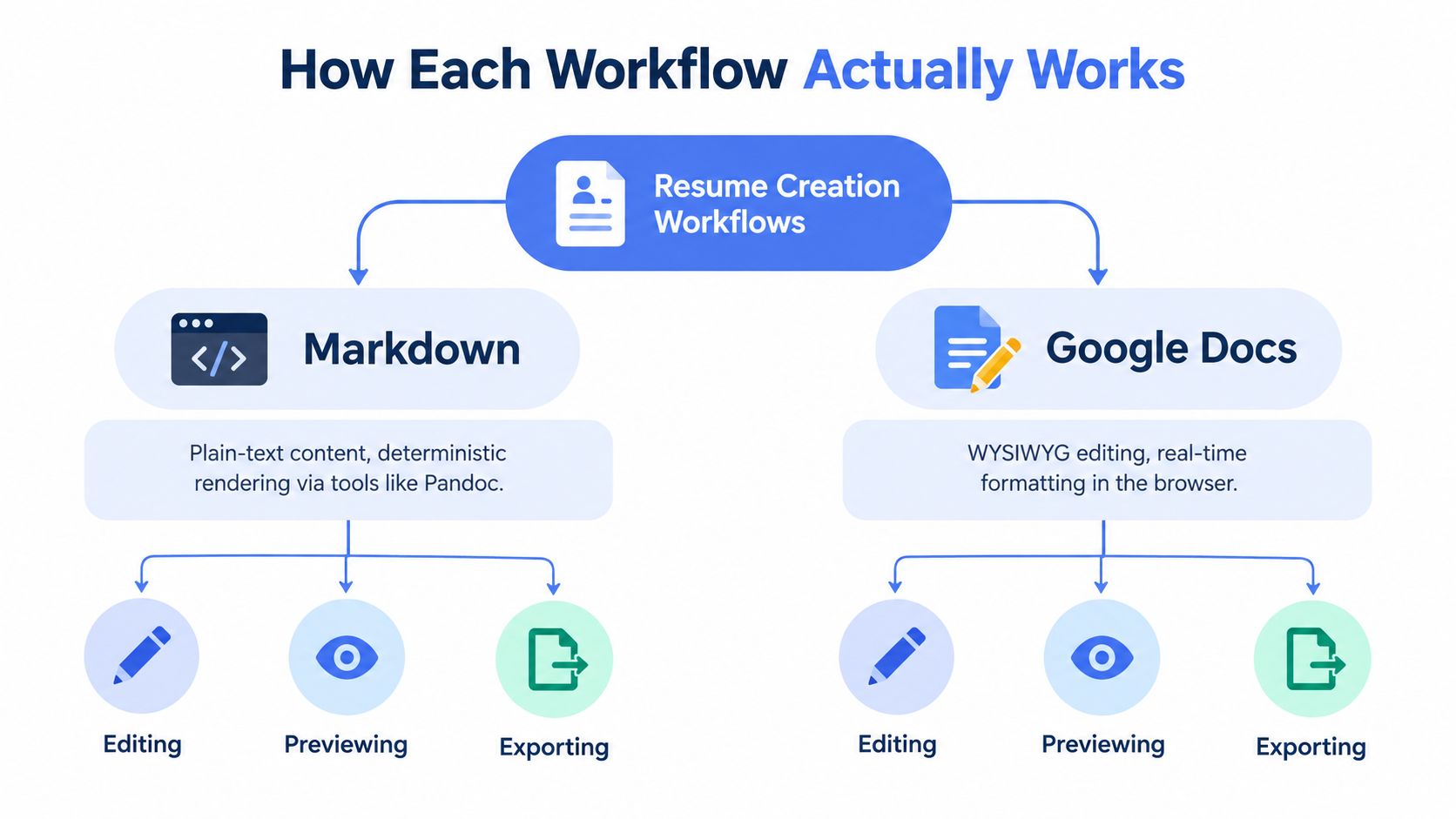
The practical difference is simple: Markdown stores the resume as content first. Google Docs stores it as a formatted document first. That choice affects how you edit, fork, review, and export every version after the first draft.
Markdown treats content as source
A Markdown resume starts as plain text with lightweight structure. Headings mark sections. Lists mark bullets. Links and emphasis are explicit in the file, not hidden inside a visual editor. That gives you a clean source that can survive template changes, file conversion, and version control with fewer surprises.
In practice, the workflow usually looks like this:
- Write the resume once as structured text.
- Preview it through a renderer or template.
- Export it to PDF, DOCX, HTML, or plain text from that same source.
- Create role-specific variants by branching or duplicating the source file.
- Keep shared sections in sync by editing the text, then re-exporting each variant.
That separation matters more than it sounds. If you maintain one resume for backend roles, one for platform roles, and one for developer tools, Markdown keeps the edits closer to content management than page design. You spend less time fixing line spacing because a bullet gained six words.
It also changes how multilingual resumes behave. If the renderer and fonts are configured correctly, the same source can be exported with more predictable handling for accented characters, non-Latin scripts, or right-to-left sections. The work shifts to the toolchain setup, but once that setup is stable, repeated exports tend to be easier to trust.
Google Docs treats the document as source
Google Docs starts from the opposite direction. You edit the page you expect someone to read. That is why it works well for fast drafting, shared commenting, and live collaboration with a recruiter, friend, or career coach.
The trade-off shows up once the resume starts branching into variants.
A heading in Google Docs is not only a heading. It is also font choice, spacing, indentation, page flow, and sometimes a manual fix you applied to keep the second page from spilling over. Duplicate that file three times for different roles and those little visual decisions become maintenance work across three separate documents.
A typical Google Docs flow looks like this:
- Write directly in the formatted document.
- Adjust spacing and layout by sight as the content grows.
- Duplicate the file for each target role or language version.
- Export each copy to PDF or DOCX.
- Recheck each export because the visible document is only part of what downstream systems read.
That last step is where teams and candidates often lose time. The page may look correct in Docs while the exported file has different font substitution, line wrapping, or text-layer behavior. For a one-off resume, that is manageable. For a resume family with multiple role-specific versions, it adds up quickly.
Where the workflows separate in day-to-day use
Markdown asks for more setup, but it gives cleaner repeatability. Google Docs gives immediate visual control, but it mixes content edits with layout maintenance.
That leads to different failure points:
- Markdown: the main risk is pipeline setup, template quality, and font configuration
- Google Docs: the main risk is drift between versions and export-related layout cleanup
- Markdown: easier to compare changes line by line and keep variants aligned
- Google Docs: easier to comment on, co-edit, and make visual edits without technical setup
- Markdown: better fit when one source needs several outputs
- Google Docs: better fit when the document itself is the shared workspace
I have used both for resumes that needed frequent tailoring. Markdown usually wins once there are several variants to maintain. Google Docs usually wins when speed of collaboration matters more than long-term consistency.
ATS Compatibility and Export Fidelity Under the Hood
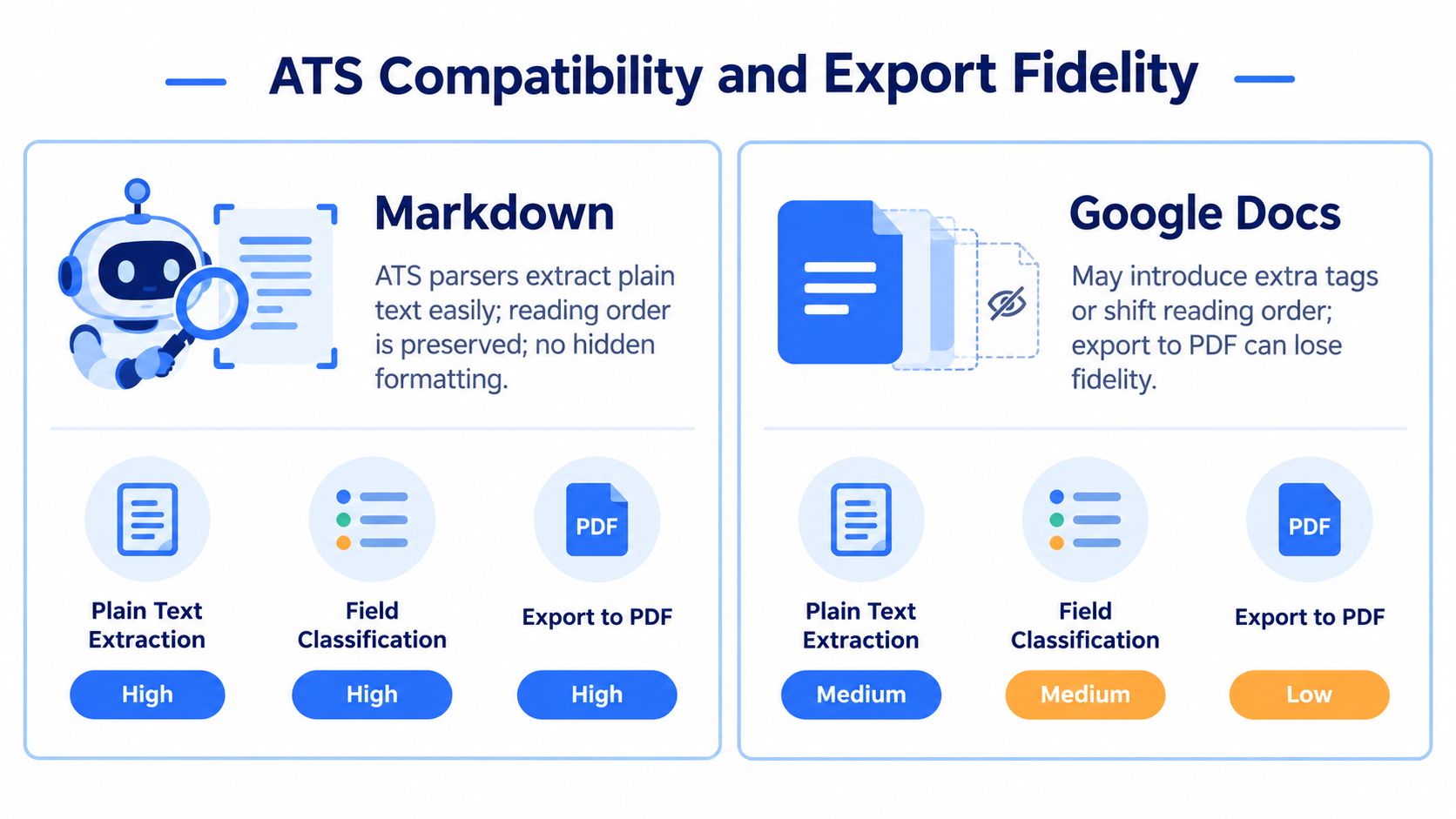
A resume does not become ATS-safe because it looks plain. It becomes ATS-safe when the exported file preserves a clean text layer, sane reading order, and enough structure for the parser to map experience, dates, titles, and skills into fields.
What ATS software is actually doing
Most applicant tracking systems extract text first and interpret layout second. That is why the authoring tool is only part of the story. The file that gets uploaded is what the parser sees.
This matters more once one resume turns into several. A base version, a backend version, a product version, and a translated version can all look fine on screen while exporting with different line wraps, font substitutions, or broken character rendering. The hidden cost is maintenance, not just formatting. Every role-specific variant creates another file that can fail in a slightly different way.
A Markdown resume can still fail if the PDF renderer produces bad text output. A Google Docs resume can still pass if the export is simple, one-column, and fully selectable. The question is which workflow makes those outcomes predictable.
Why Markdown usually holds up better under repeated export
Markdown has an advantage because it separates content from presentation. The bullets, headings, and sections exist as plain text before styling is applied, so the export step is easier to control. A fixed template and a known renderer usually produce fewer surprises than editing visual layout by hand across several resume copies.
That matters for ATS parsing, but it also matters for maintenance. If one source file feeds multiple role variants or language versions, changes are easier to trace and re-export consistently. I have found that this is the point where Markdown stops feeling technical for its own sake and starts saving time.
The practical version of that setup is covered well in this Markdown resume ATS guide. The useful part is not that Markdown is better. It is that a controlled export path reduces random breakage.
For the broader workflow around applications, uploads, and follow-up logistics, the EmailScout job application guide is a useful companion because formatting problems often show up alongside process problems.
Where Google Docs usually breaks
Google Docs is more forgiving while drafting and more fragile at export. The document can look correct while relying on layout choices that parsers handle badly.
The common failure points are consistent:
- contact details placed in headers or footers
- tables used to fake columns
- text boxes for summary blocks or sidebars
- icons replacing words like phone or email
- font fallback that changes line breaks or character display
- printing to PDF through the browser instead of using a cleaner export path
Guidance from ATS-focused Google Docs formatting articles tends to repeat the same advice: keep the structure linear, keep text in the body, and remove decorative containers that interrupt reading order (AIApply guide to ATS-friendly Google Docs formatting).
Hireflow makes a similar point from the export side. Google Docs resumes are safer when the output stays simple and avoids structures that can interfere with parsing (Hireflow on ATS-safe Google Docs export settings).
A resume can look polished to a recruiter and still parse badly if the underlying text order is messy.
The multilingual problem is where the difference gets real
Multilingual resumes expose the gap between visual editing and controlled export fast. Accented characters, non-Latin scripts, and right-to-left text add another layer of risk because the file now has to preserve readable text, correct ordering, and font support across systems.
Content and presentation separation pays off again. If the same resume needs English and another language, or a local version and a global version, a template-driven pipeline is easier to test than several hand-edited Docs files. The more variants you maintain, the more valuable deterministic output becomes.
Tiny Design Shop explains this well in its discussion of styled PDF versus ATS-safe export. A PDF that looks right is not always a PDF that extracts text cleanly, especially once language support and rendering engines enter the picture (Tiny Design Shop on styled PDF vs ATS resume export).
That is the under-the-hood trade-off. Google Docs optimizes for direct visual editing. Markdown optimizes for controlled output from a stable text source. If the resume family is growing by role, language, or region, export fidelity becomes an operating cost, not a cosmetic detail.
Side by Side Comparison on What Readers Actually Care About
The useful comparison is not "Which one looks nicer on my screen?" It is "Which workflow keeps content stable while presentation changes, and how much work do extra variants create later?"
| Dimension | Markdown Workflow | Google Docs Workflow |
|---|---|---|
| ATS safety | Strong when exported through a controlled one-column PDF pipeline with selectable text | Good if the document stays structurally simple, but easier to break with tables, headers, footers, and text boxes |
| PDF consistency | Predictable because the same source and template usually produce the same output each time | More variable because layout, fonts, and export behavior can change across devices and editors |
| Versioning for multiple roles | Easier to manage if role-specific versions share one text source and a fixed template | More manual because each copied document can drift in spacing, line breaks, and section order |
| Template switching | Fast if content is separate from presentation | Usually means restyling inside the document and checking page breaks again |
| Collaboration | Weaker for live comments unless you add other tools around the writing process | Strong for real-time comments, suggestions, and shared editing |
| Learning curve | Higher at the start, especially if you need to learn front matter, templates, or export commands | Lower. Users familiar with Google Workspace can start without learning new syntax |
| Diffing and history | Works well with plain-text version control and line-level diffs | Revision history is useful, but not equivalent to line-by-line text diffs across role variants |
| Multilingual rendering | Better if the export pipeline is tested for Unicode support and clean text extraction | Can work well, but depends more on font availability, export settings, and platform behavior |
| Quick visual edits | Slower because changes often require another render and preview check | Excellent for immediate page-level edits such as spacing, wrapping, and alignment |
One row matters more than it looks: versioning for multiple roles.
A single resume is easy in either tool. The maintenance cost shows up when you have a backend version, a platform version, a regional version, and an English plus local-language version. Markdown handles that better because content can stay upstream while layout stays downstream. Google Docs handles it less cleanly because every duplicate file becomes its own formatting surface.
That separation also changes how mistakes happen. In Markdown, the common failure mode is build friction. A template needs adjustment, a font package is missing, or the export command needs fixing. In Google Docs, the common failure mode is silent drift. One copy has different spacing, another lost a bullet, and a third exports to PDF with a text layer that looks fine visually but extracts in the wrong order.
The short interpretation
Choose Markdown if the resume is a maintained text asset with several variants, stricter ATS checks, or multilingual requirements.
Choose Google Docs if the resume is a collaborative document and fast shared editing matters more than long-term consistency across copies.
The better tool is the one that makes your next five edits cheaper, not your first edit easier.
Real World Scenarios and Who Should Choose Which
The trade-off becomes clearer when the resume is tied to actual work patterns instead of abstract preferences.
Scenario A with three role-specific variants
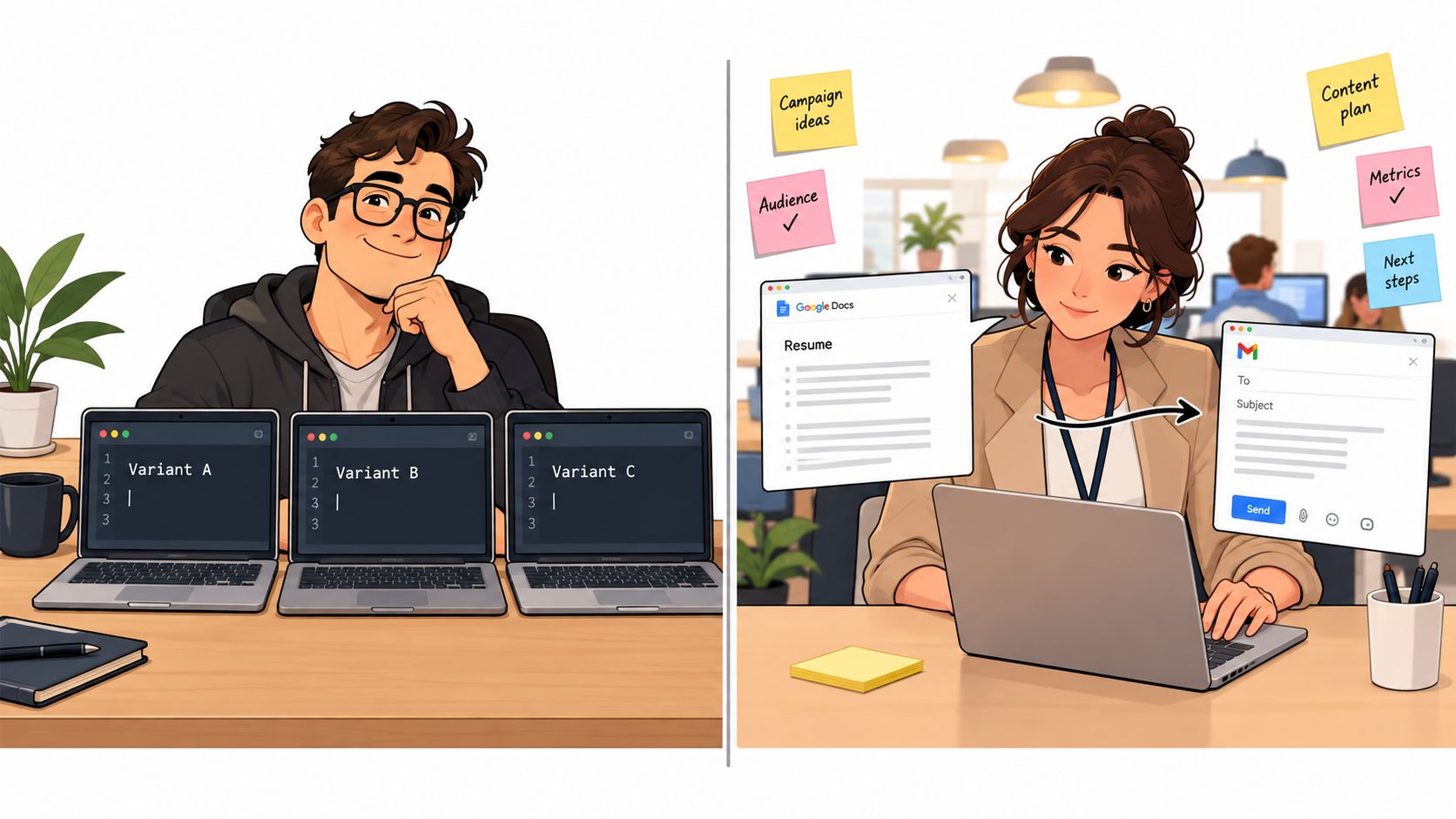
A software engineer is applying to backend, platform, and DevOps roles. The core work history overlaps, but the order of bullets, skills emphasis, and summary line change each time.
In Markdown, this usually stays manageable. Keep one authoritative source. Clone it for each target role. Edit only the lines that need to change. Re-export the PDF from the same template. The structure remains stable because the design is downstream from the content.
In Google Docs, the work often starts simple and then gets annoying. Copy the document. Change a few bullets. Tighten spacing because one version now runs long. Nudge a heading because another version wraps awkwardly. Export again. After a few cycles, those files start drifting apart in ways that are hard to see until a late edit breaks one version but not the others.
Scenario B with live collaboration on one application
A career switcher is applying to a single role and wants feedback from a friend, recruiter, or mentor. The priority is quick comments, side-by-side editing, and visual reassurance.
Google Docs is often the better fit here. Shared comments, suggestion mode, and direct formatting make feedback fast. For one-off use, that convenience can matter more than long-term maintainability.
The catch is obvious. Before exporting, the document still needs an ATS-safe cleanup pass. Single column. Body-text contact info. No text boxes. No table-based layout. The convenience is real, but so is the final formatting discipline.
One resume with active collaborators is a Google Docs strength. A family of resumes for repeated applications is where Markdown starts paying for itself.
Global applicants and script stability
There is a third scenario that many comparisons skip. Applicants working across language systems often need stable output for accented text, non-Latin scripts, or right-to-left content. In those cases, deterministic export matters more than visual familiarity.
A tool such as Resumey.Pro fits this use case because it keeps the resume as Markdown, supports multilingual output, and separates template choice from the underlying content. That reduces the chance of role-specific edits turning into cross-language formatting problems.
Moving Between Tools Without Breaking Your Resume
Switching workflows does not require rewriting everything. The safest path is to preserve hierarchy first, then deal with styling.
From Google Docs to Markdown
Start by stripping the document back to structure.
- Flatten the layout: remove tables, text boxes, icons, and anything living in headers or footers.
- Normalize the sections: make sure Experience, Skills, Education, and Projects are actual headings, not just larger text.
- Turn visual bullets into real lists: each bullet should be plain text in a normal list structure.
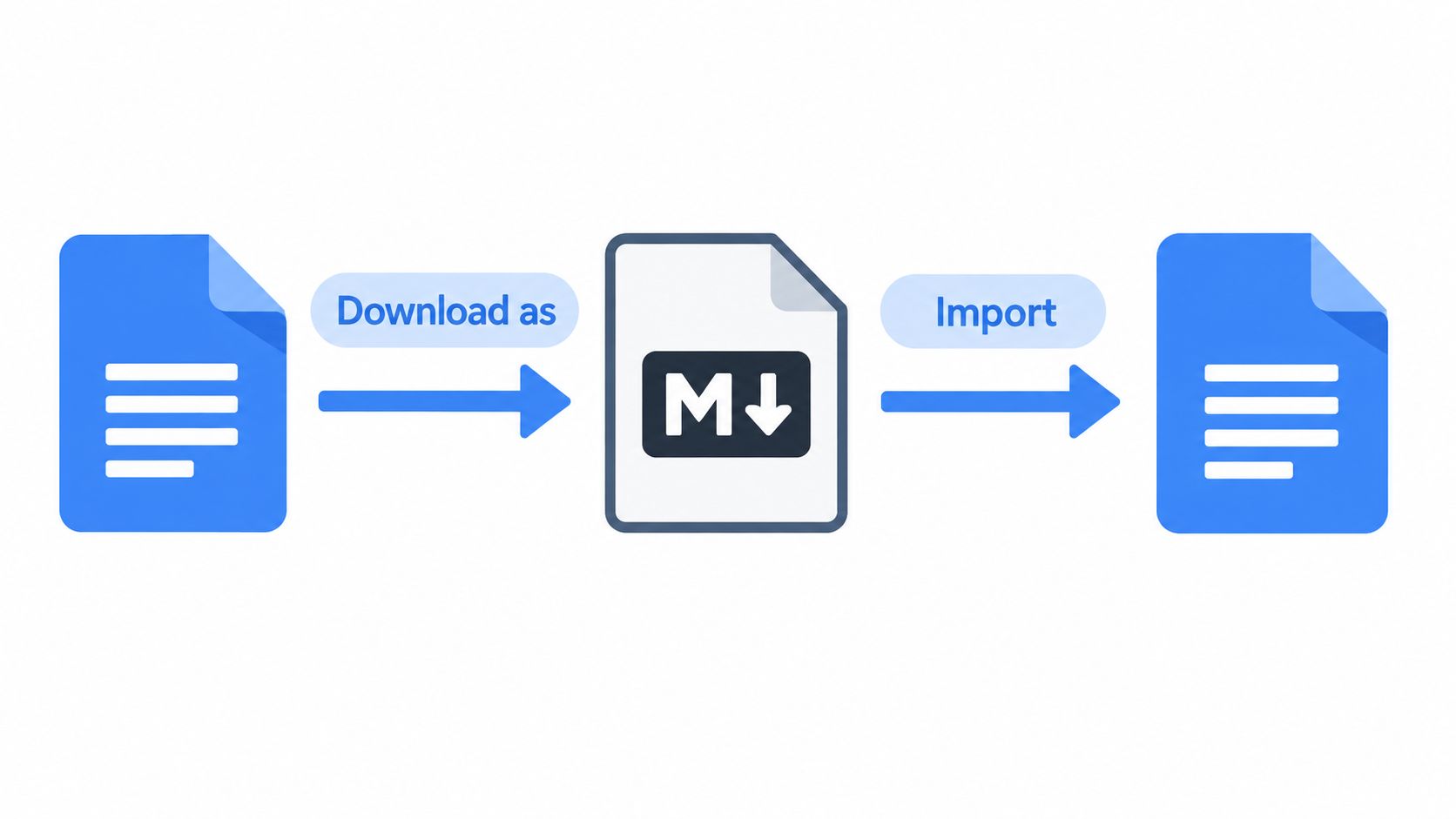
- Export or copy into a Markdown-friendly tool: then clean the syntax manually if needed.
- Render into a single-column template: confirm the PDF text is selectable.
If the starting point is a Word or Docs file with years of formatting baggage, a structured conversion path helps. Our guide on converting a Word resume to Markdown covers the cleanup mindset that also applies to Google Docs imports.
From Markdown to Google Docs or PDF
Sometimes the resume owner is committed to Markdown, but a recruiter or school office insists on Google Docs sharing. That is still workable.
- Export a clean PDF first: use this for actual applications whenever possible
- Generate a Docs-friendly version second: keep it simple, one column, and avoid reintroducing fancy layout
- Preserve heading hierarchy: use clear section titles and normal bullet lists
- Check links and contact text: make sure they remain readable as plain text, not only as embedded labels
Final checks before sending
These checks catch most formatting failures:
- Select and copy text from the PDF: if the pasted order is scrambled, the export is risky
- Scan for hidden layout tricks: tables and text boxes are common problems
- Keep one authoritative source: edit that file, then generate outputs at the last step
- Clone for role-specific versions: don't fork the formatting manually each time
- Test multilingual lines visually and as selectable text: both matter
FAQ
How do I know whether my PDF is ATS-safe?
Select the text inside the PDF and paste it into a plain-text editor. If the order is broken, headings vanish, or sections merge strangely, the export needs work.
Can Google Docs still be fine for resumes?
Yes. It works well for simple one-column resumes and collaborative editing. Problems usually come from layout tricks, not from the tool name alone.
Is Markdown only for developers?
No. Developers tend to adopt it faster because the text-first model feels familiar, but the underlying benefit is universal: content stays separate from formatting.
Should I keep both a styled and an ATS-safe version?
That can be sensible if direct email and portal uploads are both part of the job search. The important part is keeping one authoritative source and generating variants from it.
Final Recommendation and What to Do Next
For a Markdown vs Google Docs resume, Markdown wins when the resume behaves like software content. That means repeated edits, multiple role-specific branches, template changes, stable PDF export, and any situation where text-layer integrity matters. This is especially true for technical candidates who already think in source files, structured content, and reproducible output.
Google Docs still makes sense for short-term collaboration. If the task is one application, one reviewer, and quick visual feedback, it is efficient and familiar. There is nothing wrong with using it that way. The limit shows up when the document becomes a maintained asset instead of a one-time file.
The recommendation in plain terms
Use Markdown if these are true:
- You keep several resume variants
- You care about deterministic PDF output
- You want to switch templates without reformatting
- You apply across regions or languages
- You prefer one clean source file
Use Google Docs if these are true:
- You need live comments and suggestion mode
- You are sending one resume, not managing a library of variants
- You are willing to do a manual ATS-safe cleanup before export
The cost is worth stating plainly
The Markdown choice costs comfort at the beginning. There is a learning curve. Visual editing feels less immediate. A quick page tweak is not as effortless as dragging things around in Docs.
The payoff is that maintenance gets cheaper. When the third role-specific version is due, or when the template changes, or when a PDF has to survive another upload system, the cleaner workflow starts doing real work.
Pick one resume and make it the authoritative source this week. If it already exists in Google Docs, clean the structure and convert it. If it already exists in Markdown, test the export path and clone a version for a specific role instead of restyling the original.
Resumey.Pro gives you a browser-based Markdown editor, cloneable role-specific resume versions, 10+ ATS-optimized templates, and one-click PDF export built for stable layout. If the maintenance cost of Google Docs is starting to show up in every new application, it's a practical place to keep one clean source and switch designs without rewriting the resume.