
You put hours into your resume. You hit apply. And then nothing. The annoying truth is a real person probably never saw it. Almost every big employer runs your resume through an ATS filter first. And that software screens out most of them before a human ever looks. If your applications keep disappearing without a reply, this is usually why.
So let's sort it out. First, we will look at what the ATS filter is actually doing in there. Then, eight things that get you through it. Then a few mistakes that quietly weaken good resumes. It is all simpler than it sounds once you know how the thing reads.
What the ATS Filter Actually Does Before a Human Sees You
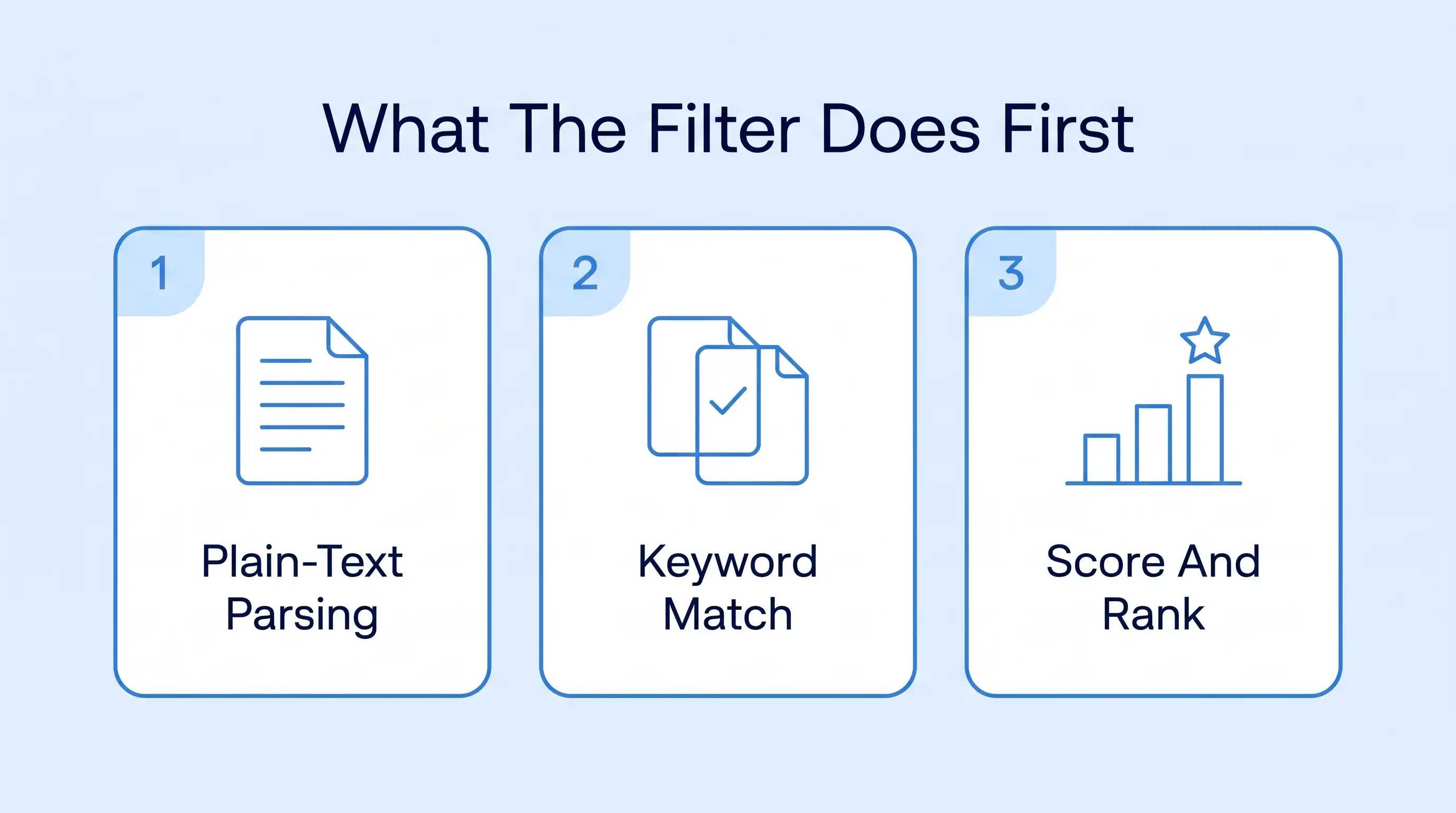
Before we fix anything, let's see what you are up against. The ATS filter isn't some evil robot judging your life choices. It is just software running three boring jobs, one after another. Get your head around those three, and everything else makes sense. None of it is magic once you see it up close.
1. Your Resume Gets Flattened Into Plain Text
First, it breaks your resume down to raw text. All that lovely formatting you fussed over? Gone. Your columns and text boxes get squeezed into one long strip of words. And if the software can't pull your text out cleanly, big chunks of you just go missing before anyone scores a thing.
So a resume the software can read is job number one. Nothing smart you do later counts for much if your words never escape the file in one piece. The fancier the file, the more of you the parser quietly drops on the way through.
2. Your Words Get Matched to the Job Description
Next, it holds your plain text up against the job description. It is looking for the exact words the employer asked for. The real skills and tools they listed. The closer your wording is to theirs, the more you look like a match before a human is even in the room.
It is why two people with basically the same background get wildly different results. The one who used the posting's own words just reads as the better fit on paper. The exact words you pick really do change the outcome here.
3. You Get Scored and Ranked Against Everyone Else
Then it adds a number to you. The better you match, the higher your score. And that score drops you into a ranked list next to everyone else who applied. Most recruiters only ever look at the top of that list. So a great resume with a weak score can rank below worse ones that simply picked better words.
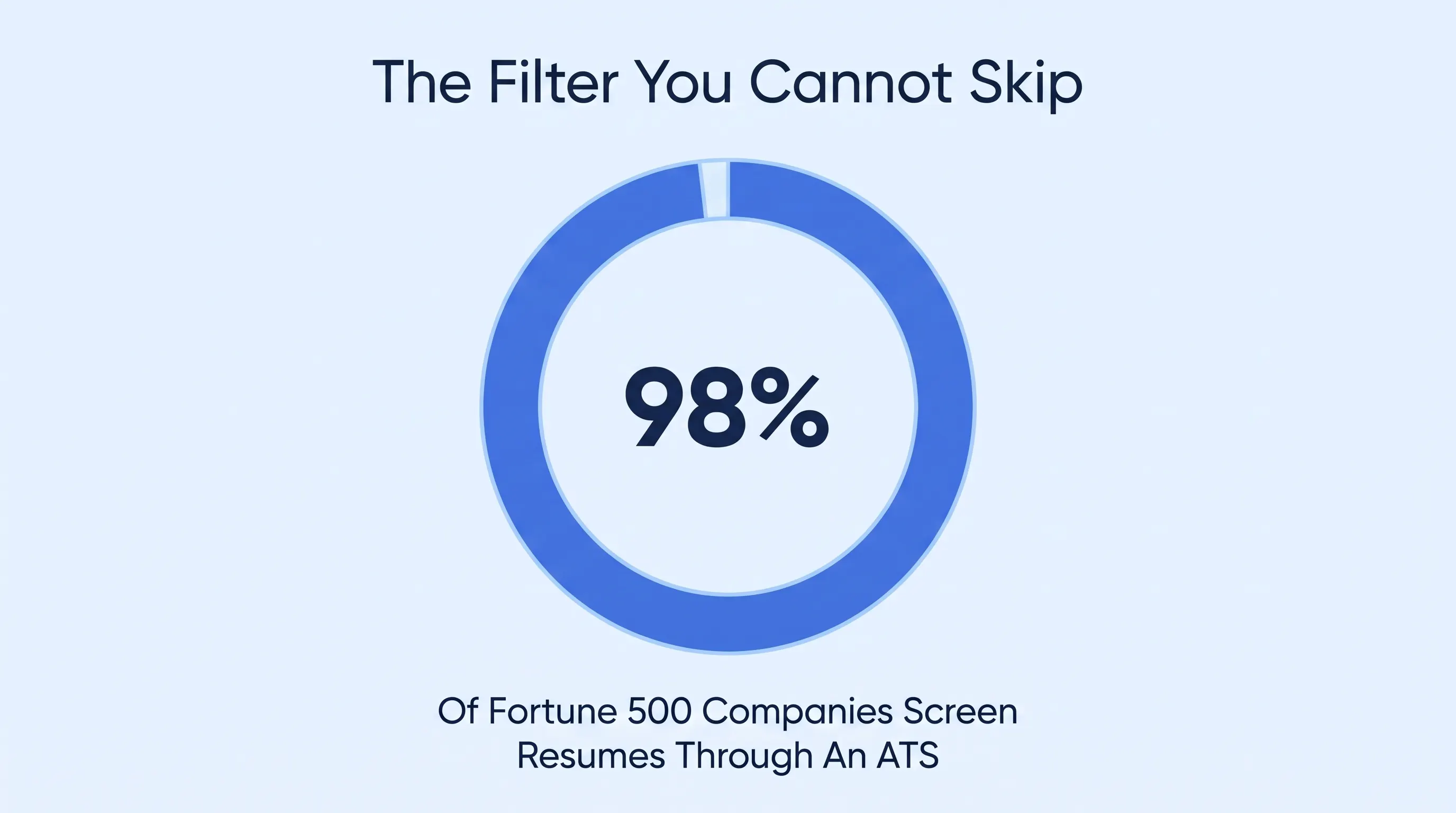
And no, this isn't something you can quietly dodge. A 2025 ATS audit found about 98% of Fortune 500 companies run resumes through one of these. For nearly every real job out there, the filter is the first reader you have to win over.
| Reads Cleanly | Gets Garbled |
|---|---|
| One simple column | Two or three columns |
| Normal typed text | Words trapped inside an image |
| A heading like Work Experience | A heading like Where The Magic Happened |
How to Get Your Resume Past the ATS Filter: 8 Proven Strategies
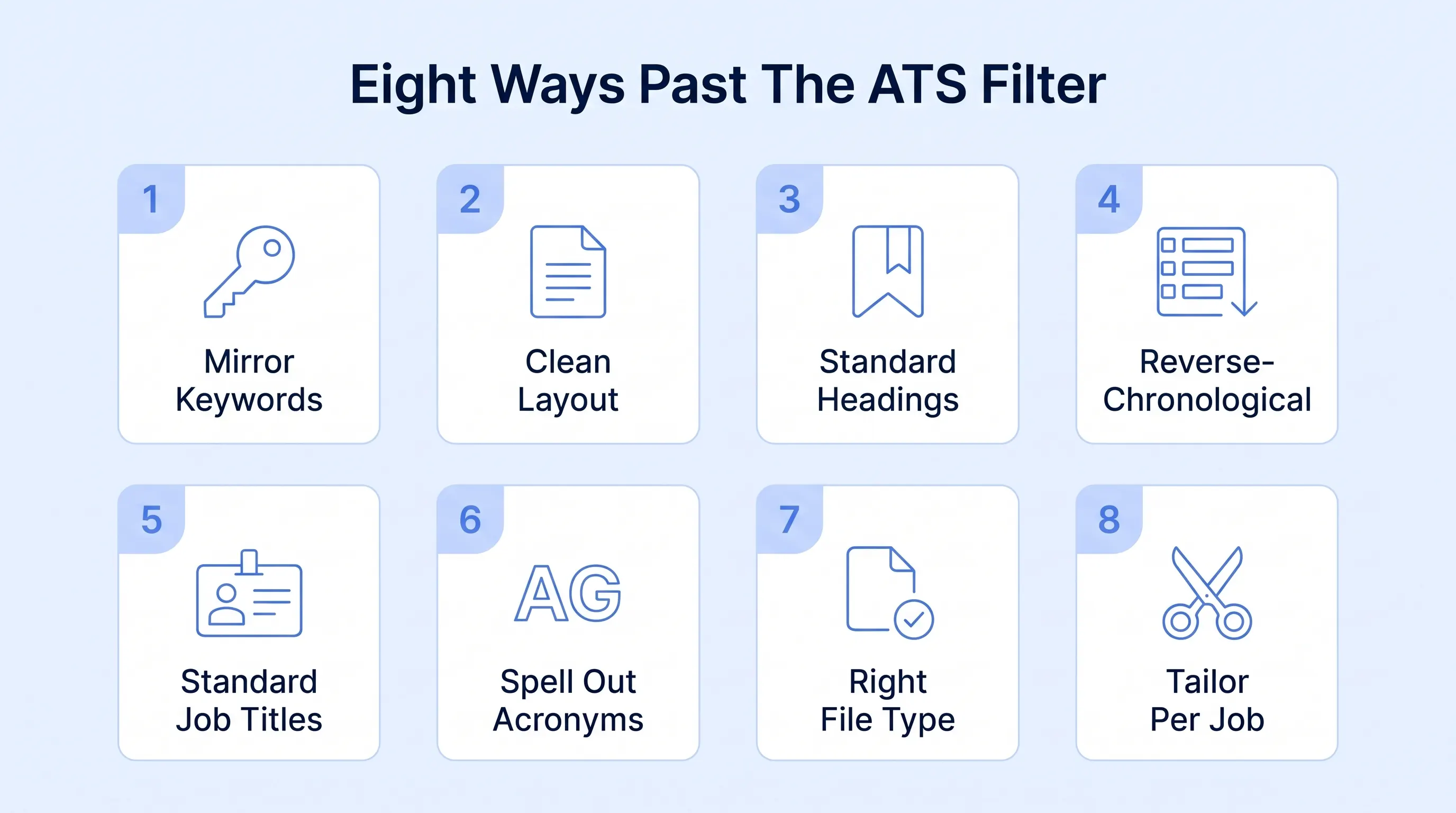
Right, let's fix it. Eight things that get your resume cleanly through the ATS filter.
1. Mirror the Exact Keywords From the Job Post
This one matters most, and it helps to know why. The filter doesn't really understand your resume. It can't tell that scripting and Python are the same to you. It can't see that your projects prove the skill. It only checks whether the resume keywords from the posting show up in your text. To the software, meaning is invisible.
That is why a genuinely qualified person gets rejected all the time. They described their experience in their own words, and the software couldn't tie it back to the posting. The score came back low, and a human never saw them. The words are doing the judging long before any person does.
- Pull the exact skills and tools the job posting keeps asking you for
- Use the posting's exact wording rather than a clever synonym of your own
- Only add a skill you could honestly back up in a real interview
- Convert them into bullets instead of a keyword dump at the bottom
2. Keep the Layout Clean and Single-Column
Remember how the filter converts everything into plain text? This is you making that painless instead of a disaster. A plain layout survives the conversion with every word in place. Load it up with design, and it comes out as unreadable nonsense the software can't score.
We know designers hate this one. But a plain resume that reads perfectly beats a stunning one the robot chokes on. Keep the pretty stuff for your portfolio. The file a machine scans first should be boring on purpose. Plain and dull is the whole point here.
- Lay the whole resume out in a single column from top to bottom
- Stick with one plain common font that no parser is going to choke on
- Cut any text boxes and tables that quietly distort the whole reading order
- Stick to plain round bullet points instead of icons or little rating bars
3. Label Your Sections the Boring, Standard Way
Think of the parser as a slightly dim filing clerk. It is just looking for signs it knows. Work Experience. Skills. Education. Those plain standard headings tell it where one part of your resume stops and the next one starts.
Hand it something cute, and it shrugs. A section called Where I Made Magic means nothing to it. It can't tie that back to the standard section order an applicant tracking system already knows, so your best stuff ends up in a pile marked who-knows.
- Title your main blocks Work Experience and Skills, never anything more creative
- Keep each standard heading on its own line so the parser catches it
- Write headings in plain text, not inside a logo or colored box
- Use the same section names that the job description itself reaches for
4. Lay Out Each Job in Plain Reverse-Chronological Order
Reverse-chronological. Newest job up top and oldest at the bottom, every role with a company and real dates. Boring, sure. But every ATS was basically raised on it, so it reads your work history just fine.
Get cute with a functional layout that hides your dates, and it loses the plot fast. It can't work out what you did when. Your whole professional experience becomes mush, and any employment gaps look 10 times worse than they are. The way you lay out each role keeps it readable.
- List your most recent role first, then work backward through older ones
- Give every job its own company name and a clean month-year date range
- Write dates as month and year so the software reads them consistently
- Steer clear of functional formats that hide when each role actually happened
5. Match Your Past Job Titles to Standard, Searchable Ones
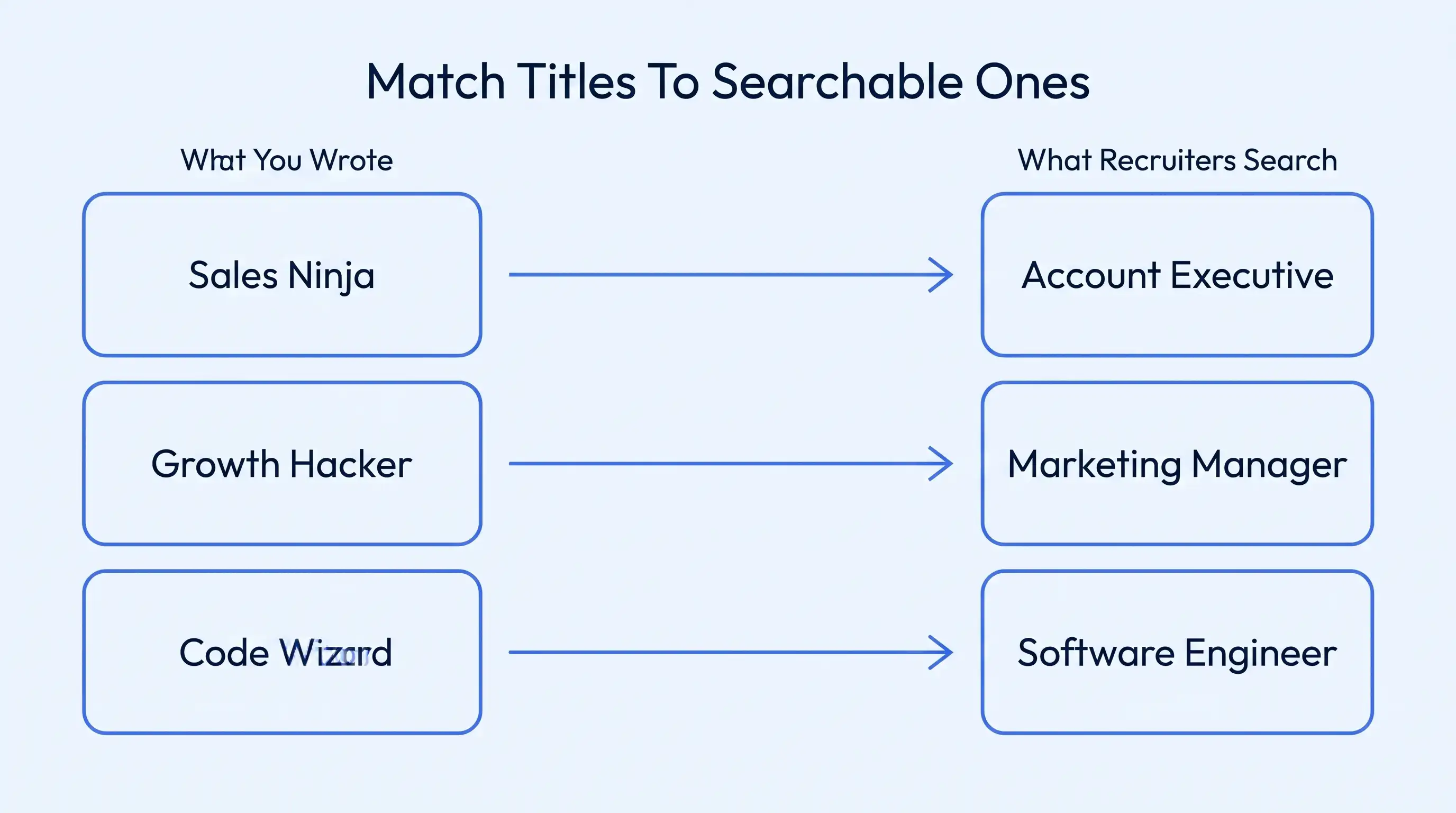
This one costs good people, and most job seekers never notice this stage of the hiring process. Recruiters don't read resumes. They search them, usually by job title. A hiring manager types Software Engineer into the box and scans who turns up. Call yourself a Code Ninja, and you are simply not in those results.
The software isn't judging your talent. It is matching text… letter for letter. A title nobody searches for is a title nobody finds. And across different industries, that little gap between your badge and the market's word can lose you the job before a human recruiter ever looks.
Getting the title right helps everywhere, but it is make-or-break in a few corners. And specialized data work is the sharpest example. In most jobs, a recruiter sees a slightly off title and still gets the gist of you. But the whole role in data engineering is pinned to one exact platform. So the search itself turns pretty specific. Nobody types data person into the box. They type the stack.
Take Microsoft Fabric. It folds a data lake and a warehouse into one lakehouse, with OneLake and Synapse sitting under Power BI. A hiring manager staffing that role at a Fabric data lakehouse consulting firm searches Microsoft Fabric and Data Lakehouse Engineer by name.
They are not after someone who handled company data. Name those exact tools, and the automated screening weights them heavily. So plenty of qualified candidates get binned for a generic in-house title.
What these employers want is simple proof you have actually used their stack. So search out the standardized title the niche really uses and put it right up top. Then name the platforms, and the ATS filter finally matches you with the search a recruiter is running.
- Rename each past job title to the standard one recruiters actually search
- Keep your real title in brackets beside it when it was unusual
- Check a few live postings to see the exact titles employers use
- Drop invented words like Ninja or Guru that no recruiter searches for
6. Spell Out Every Acronym at Least Once
SEO and Search Engine Optimization are total strangers to the ATS. It has no clue they mean the same thing. So the match just evaporates if the job posting writes it out in full and your resume only shows the short version.
And it goes both ways. Maybe you wrote the long form, but the posting uses the acronym. Either way, the ATS reads letters, not meaning. And different ATS platforms store those letters differently. So a skill you clearly have can end up in the missing pile.
Using full terms helps in any field, but there is one where skipping it genuinely lowers your chances – cybersecurity. Security speaks in initials. And the same job gets written three different ways depending on who is hiring.
Picture this agentic security operations center, where artificial intelligence handles the routine triage tasks and human analysts make the judgment calls. The agents operate on top of its managed detection and response across tools like SIEM and EDR, all tied to the MITRE ATT&CK framework.
The trap for anyone applying here is easy to miss. The ATS might not pick it up when a recruiter searches for Security Operations Center, and your resume only says SOC. Employers in this niche want exact fluency, so they look for someone who can map a threat to MITRE ATT&CK and work the SIEM, named in their own words.
So write both ways the first time it shows up, then use whichever you like after. That one thing gives the ATS filter every version it might be searching for.
- Write out the full phrase and its short form together on first use
- Do this for your tools and your certifications, not just job titles
- Check which form the posting uses, then include both to be safe
- Avoid hiding a key skill behind an acronym the parser may not know
7. Save and Send the Right File Type
Every file behaves differently once it is uploaded. A clean text-based document lets the software copy your words straight out, while fancy formatting fights it every step. A flattened image or some exotic format just hands the ATS scan a brick wall, so your text never even reaches these ATS systems.
And the numbers here are grim. Systems misread nearly one in four resumes, with multi-column layouts the worst offender and older ATS software mangling over a third. The right file format really is the line between read and skipped.
Imagine where it all ends up. Popular applicant tracking systems like Workday and SAP SuccessFactors rip a text-based PDF or a Microsoft Word file apart in a second. But scanned documents and screenshots never cleanly parse. Even a brilliant cover letter can't rescue a resume the parser can't open.
- Send a clean text-based file, usually a standard .docx or simple PDF
- Export straight to a PDF rather than screenshotting or scanning the final page
- Never upload your resume as a flat image or printed-page photo
- Check the application form itself for the exact format it will accept
8. Tailor a Fresh Version for Each Job
Every posting wants slightly different skills and keywords, and the ATS filter scores you against that one posting. So a do-it-all version becomes a loose, half-there match. Most companies weigh each job application on its own, which is exactly why auto-apply blasts flop.
And tailoring doesn't mean rewriting your life every time. It is a few minutes to customize your resume up top so it mirrors the role.
In some trades, the vocabulary is unforgiving, where one everyday word covers a dozen things insiders treat as completely separate. In a specialized food industry business like Chefs Resources, hiring for culinary roles requires more than finding someone who has general kitchen experience.
For instance, a candidate applying for a seafood-focused position needs to know the distinctions between fish varieties that might sound interchangeable to an outsider. Knowing how to prepare Dover sole is not necessarily the same as knowing how to handle Petrale or Lemon sole.
That distinction matters when applying, too. A resume that simply says "prepared fish dishes" doesn't tell the employer much about the candidate's actual expertise. Someone who names the species they have worked with and the specific skills requested in the job description gives both the hiring team and its ATS a clearer match.
- Rework your summary line and top keywords to match each new posting
- Keep one full master resume, then trim it down for every single role
- Mirror the exact terms this employer used, not a vague generic equivalent
- Reorder your skills so the posting's top priorities sit right up front
3 Mistakes That Keep You Stuck Behind the Applicant Tracking System Filter
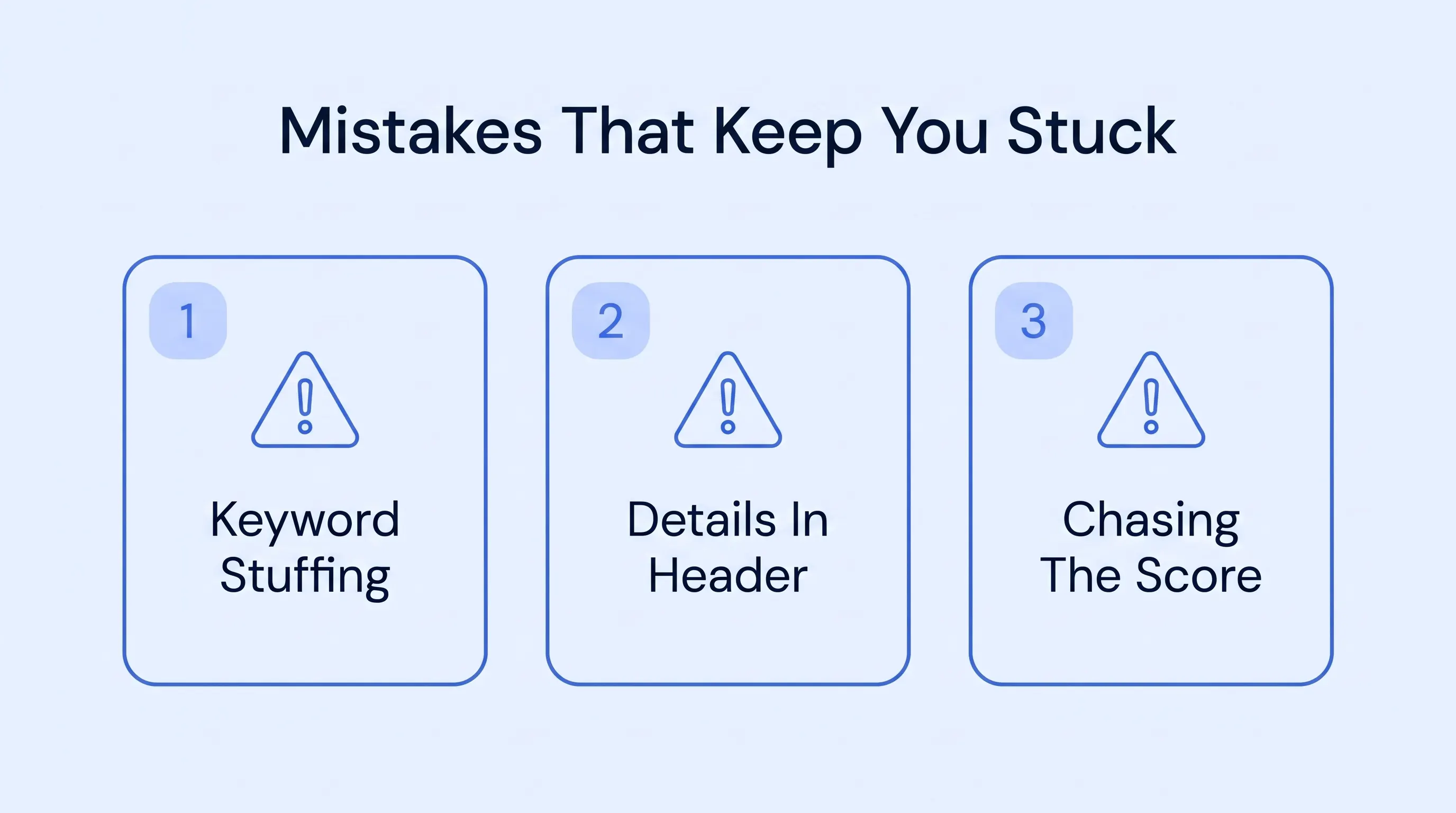
A few mistakes will torpedo you no matter how strong your experience is. We watch people make these three over and over. Each one looks clever while you are doing it, which is exactly the problem.
1. Stuffing In Keywords Until It Reads Like Spam
There is a fine line between using the right keywords and flat-out overloading them. Done well, it really works. Skills-optimized resumes get 4.2x more interview callbacks – 5.1x for tech roles. Cramming is the exact opposite.
Stuff the same term in 20 times or hide pale keywords against a white background, and two bad things happen at once. A modern ATS can flag the repetition as manipulation, and the human who opens it later just sees a desperate page with zero real leadership signals. You lose twice.
How to Fix: Use each key term once or twice inside a real sentence about real work. Let the match come from genuine relevance across the whole resume. Add your hard skills and soft skills as bullet points that show measurable results.
2. Hiding Key Details in the Header or Footer
This one looks neat and silently costs people callbacks. Loads of parsers skip the header and footer entirely. So your name and email up there can vanish from the version the software actually reads.
And it is brutal because you never find out. The ATS lifts your contact details into set fields. If yours is in the footer, those fields come back blank, and a recruiter who wanted you has no way to reach you.
How to Fix: Put your name and contact details right in the body, up at the top where the parser always looks first. Avoid headers and footers for anything that matters, keeping them for a page number at most. That way, the details a recruiter needs appear in the fields the software can actually read.
3. Chasing a High Match Score Instead of a Real Fit
It is so tempting to treat the match score as the trophy, and tweak your resume until an ATS resume checker flashes 95% on a job you honestly can't do. But that number isn't the win. A high resume score only means your resume matches the words, not the work. And a good ATS score just buys you a look.
Clear the ATS filter for a role you are not ready for, and you have only pushed the rejection further down the line. All that effort and interview prep went into opening a door onto a harder door.
How to Fix: Point your applications at jobs you could genuinely do, then optimize your resume to match. Treat a healthy score as proof you described a real fit, not a target to inflate, and re-scan only to double-check. An honest fit is what turns a cleared filter into more interviews worth having.
Conclusion
The ATS filter wants two plain things from your resume: a format it can read without struggling, and the words the job actually asked for. There is such a thing as overthinking this, so sort the keywords and the clean single-column layouts first. Get those right, and your job search stops dying at the gate.
And if fighting with columns and parsers sounds like a grim evening, that is the bit Resumey.Pro takes it off your hands. You build a free ATS resume on templates that are ATS-friendly, writing in Markdown while the tool handles ATS compliance. Start now and let the structure keep your resume good enough to read.